
Xbox Developer Tools
Microsoft · Product Design

Designing the developer ecosystem for Xbox, bridging the gap between console management and deep-dive performance optimization.
The Challenge: Bringing "Consumer Grade" to Dev Tools
Game development is notoriously complex. Developers juggle managing hardware devkits (consoles) with deep software optimization on PC. Historically, the tools for this were purely functional—brutalist command lines or dense spreadsheets.
The Goal: Create a unified developer ecosystem that feels as premium and intuitive as the games being built on it.
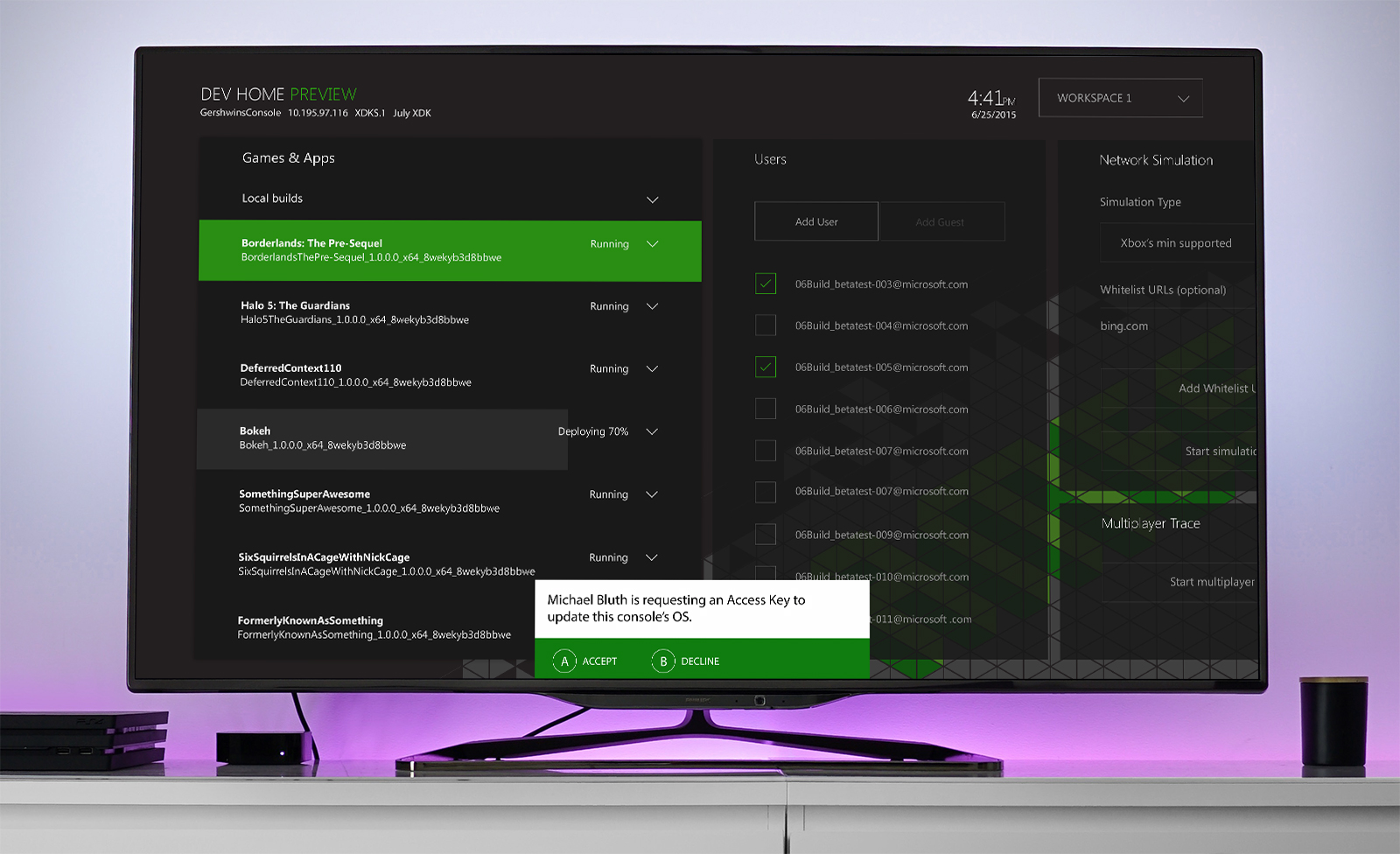
1. Xbox Dev Mode (Console)
Context: Developers need to switch their retail Xbox into a "Dev Kit" to test builds. This was previously a hidden, complex process.
The Solution: We designed a "Dev Mode" app that lives on the console. It handles:
- Sandbox Switching: Moving securely between Retail and Development environments.
- Account Management: Handling test accounts and permissions seamlessly.
- Remote Management: allowing the console to be controlled via PC without needing physical access.
2. PIX (Performance Investigator for Xbox)
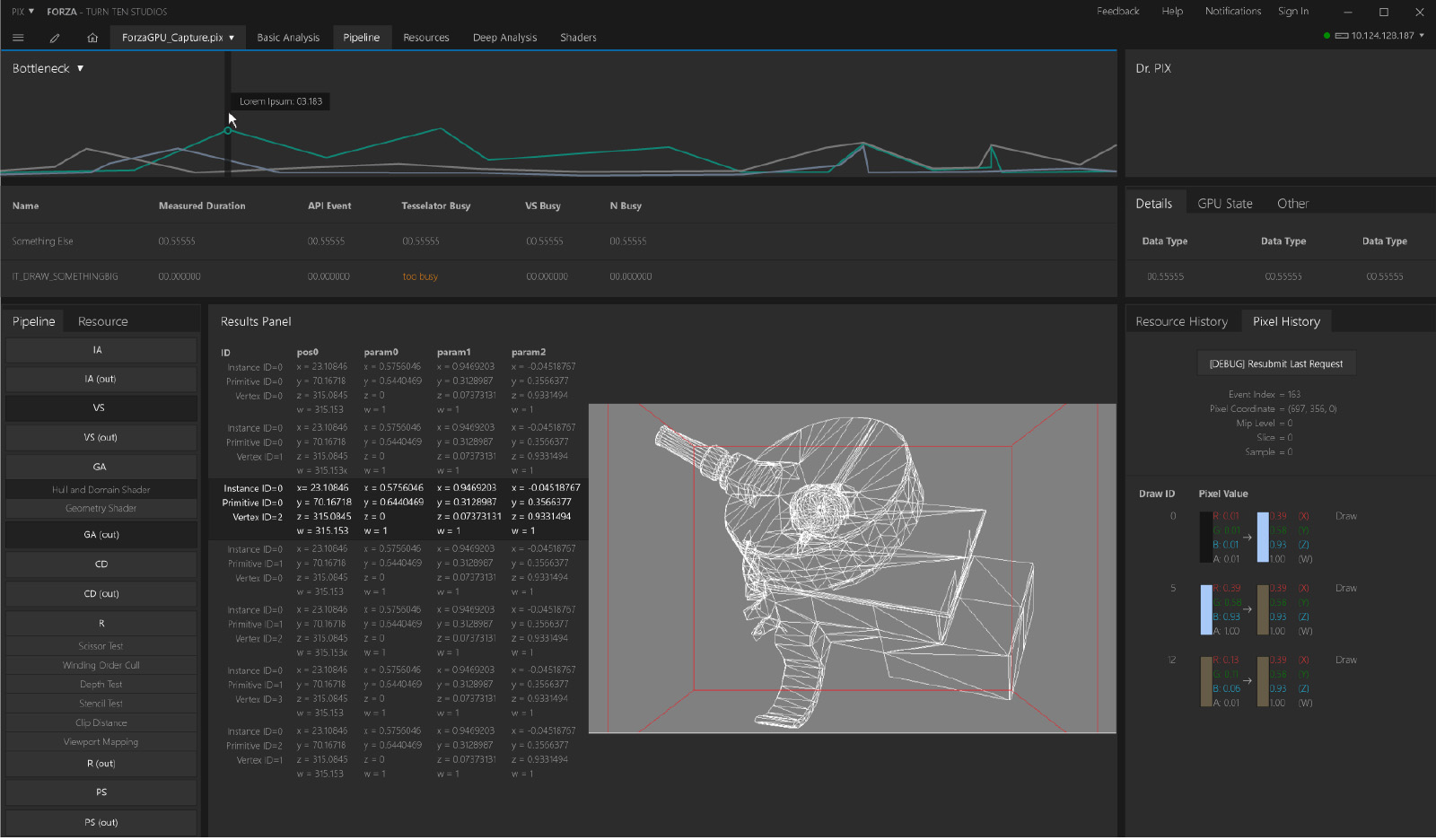
Context: When a game drops frames or stutters, developers need to know exactly why. Is it the GPU? The CPU? A memory leak?
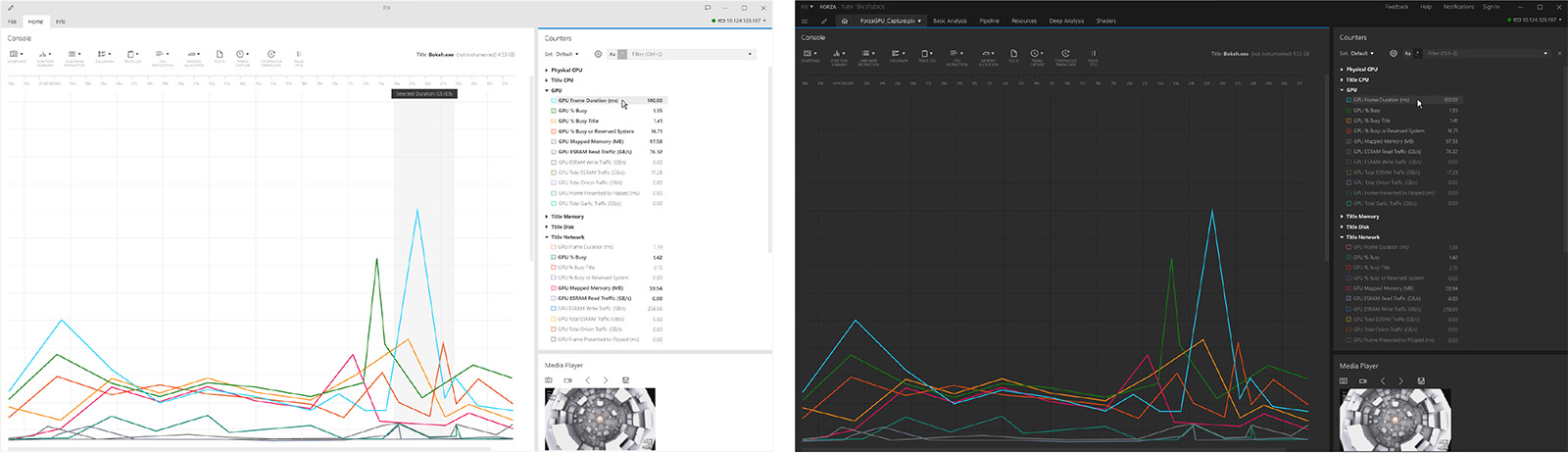
The Solution: PIX is the ultimate microscope for the graphics pipeline. We transformed raw performance logs into a visual dashboard that provides:
- Visual Profiling: Timeline graphs that correlate frame drops with system events.
- Memory Heatmaps: Visualizing memory allocation to spot leaks instantly.
- Actionable Hints: The tool doesn't just show data; it suggests specific optimizations (e.g., "Texture overlap detected").
Impact
By treating internal developer tools with the same design rigor as consumer products, we reduced the cognitive load on engineers. This allows them to spend less time fighting their tools and more time polishing their games.